<-

Training Videos
For Internal Processes

Onboarding & Equipment

Skills used
Storyboarding
Script Writing
Video Production
Video Editing
Graphic Design
Motion Design
PROGRAMS
Adobe Illustrator
Adobe After Effects
Adobe Premiere Pro
  • ABOUT THE VIDEOS

    MY EXPERIENCE

    I began working on training materials the moment I started working for a medical equipment company. I found that my knowledge of marketing, where the goal is to convey a message to diverse audiences, helped me with creating training content.

    When I work on training videos, I am at the forefront of every step, from writing the script to being behind the camera. I understand the importance of communicating my vision, implementing feedback, and bringing it to life.

    My bosses were impressed with my ability and attention to detail, so they trusted me to speak directly to subject matter experts. I was trusted to communicate with team leaders and directors to find the most effective way to communicate procedures that employees were struggling to learn.

    Read more about my process below! 

My Creation Journey

Equipment Daily Use Videos

When providing medical equipment to hospitals, there is plenty of equipment that their staff will already know how to use. However, when we began pushing new bed products, many staff had never encountered this equipment before and did not know how to use it. With nurses always on the go and caring for multiple patients, it was crucial to provide them with training materials that were straightforward and simple.

We had teams who would host video calls for hospital systems to train over equipment. Once the training videos were complete, it was reported that our customers decided they did not need the calls because our training materials were solid and their staff were doing well with the new equipment.

Process

1. To begin, I gathered previous training materials that I had previously revamped for the equipment. I created an outline for the video content and sent it to a subject matter expert.

2. After suggestions and feedback, I created a shot & script document for feedback.

3. Once the shot & script document was finalized, I coordinated with my team to schedule filming days. To prepare for filming, I created a checklist of all the shots needed and printed copies for my team. I also printed copies of the shot & script document just in case.

4. Once filming was complete, I would review the footage and organize the video files for editing.

5. Once the videos are laid out in an Adobe Premiere Pro timeline, I create the video assets such as voiceover and graphics. I time everything accordingly in Premiere Pro.

6. A draft of the video is created and reviewed by my team and subject matter experts. Once approved, it is uploaded to a link that can easily be shared with hospital staff.

Company Onboarding Video

After several years of trying to push our company message, there was a problem: employees were still unaware of our mission, vision, and values. It was also discovered that our human resources team did not have time to have regular company introduction calls with new employees. Some had been working for months before being officially welcomed to the company and given a rundown. To address this, my team decided it was time for an onboarding video.

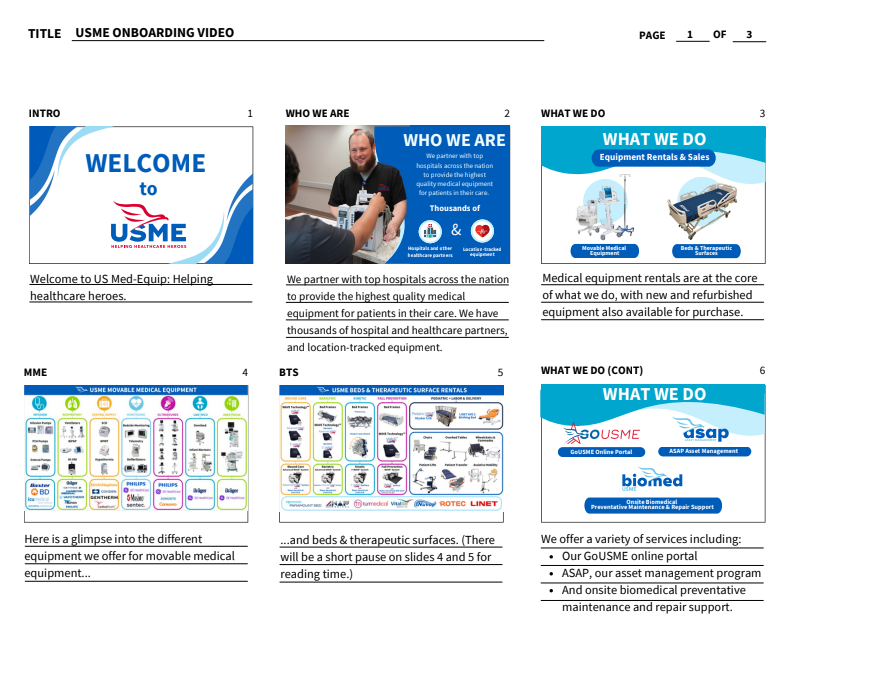
To begin, I first gathered information from the presentation HR used for new hires and presented a more concise version with information that would not be quickly outdated and additional information that we noticed employees are also unaware of. Once I implemented feedback from my bosses, I began storyboarding the video along with creating a script. Below is a page from the final storyboard after feedback.

Once the storyboard and script were approved, I got to work on the video. First, I laid out the graphics in Adobe Illustrator and transferred them to Adobe After Effects. Once I recorded the script, I timed the graphics and text to it in Adobe Premiere Pro. I worked in both Premiere Pro and After Effects simultaneously until the first draft was complete. After implementing feedback, the video was ready to be used! 

Equipment Maintenance Video Graphics

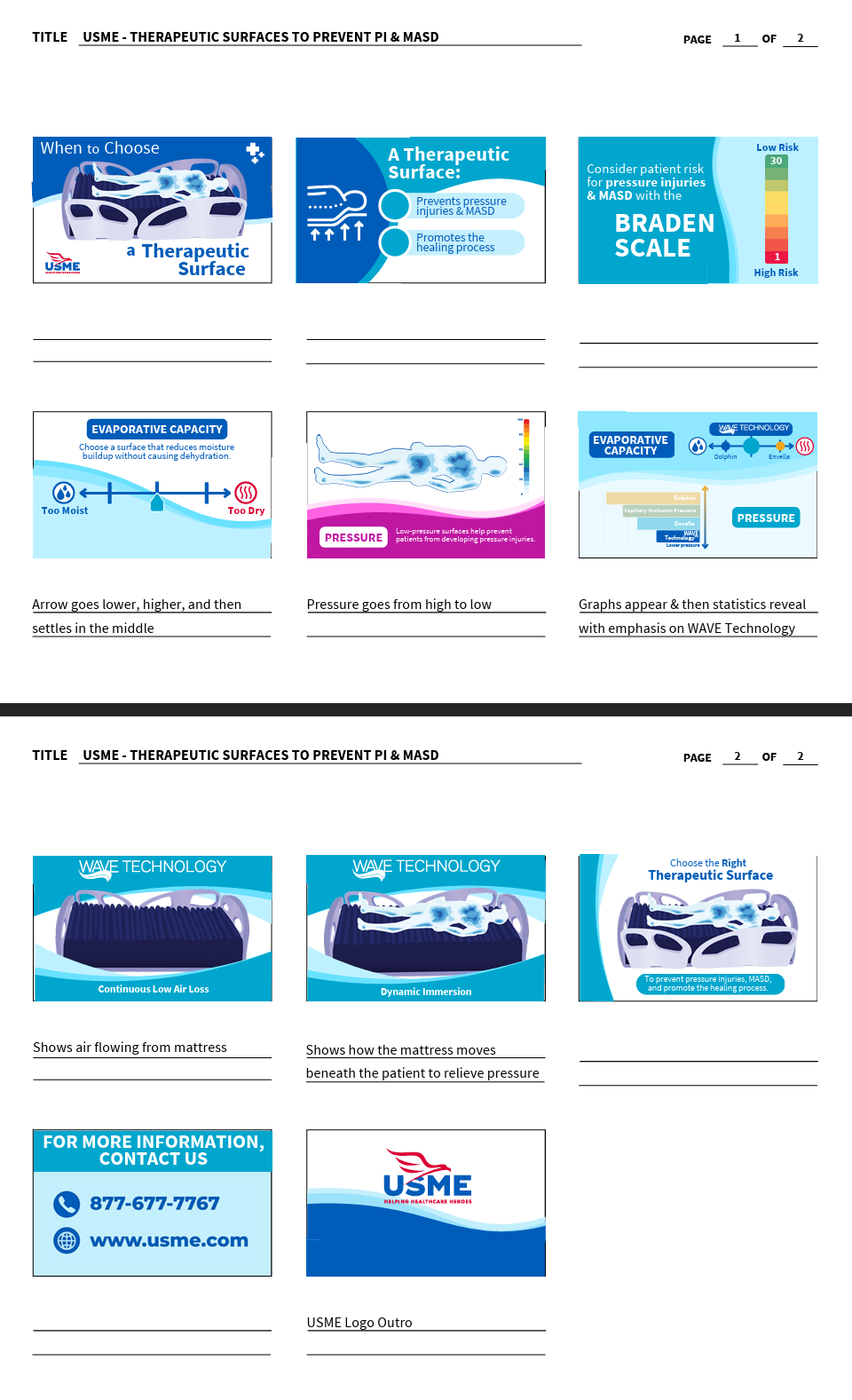
When employees were struggling to learn how to maintain a piece of medical equipment, our team was asked to step in and create a training video. We worked closely with team leaders who were knowledgeable on the process and I created a shots & script layout, filmed, edited, and created motion graphics for this project.

A big challenge was showing the smaller components of the device. Specifically, there is an internal circuit board that is very small and difficult to capture on camera, especially when our actor interacted with it. I thought on the spot and took closeup photos of the circuit board, recreated it in Adobe Illustrator, and animated it in After Effects. Below is the final animation.


WANT TO SEE MORE?

Courses

Get a glimpse into courses I've created using Adobe Captivate and my creation process.

Learn More ➡
Training Documents

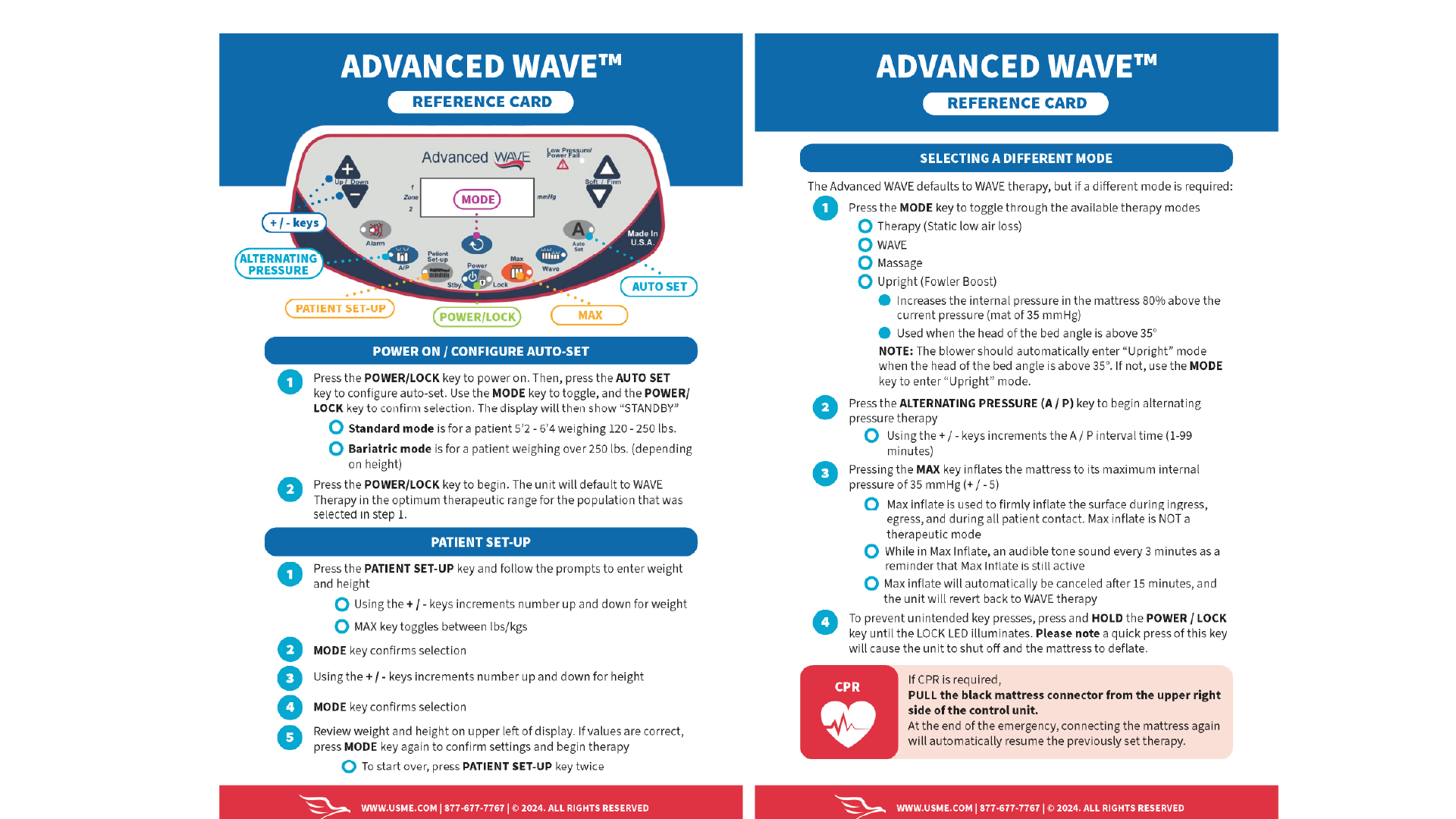
See the training documents I've created including PDFs and quick reference guides.

Learn More ➡