<-

Course Creation
For Employees

Onboarding & Company Procedures

Skills used
Storyboarding
Writing
Graphic Design
Motion Design
Video Editing
PROGRAMS
Adobe Captivate
Adobe After Effects
Adobe Premiere Pro
  • ABOUT THE COURSES

    MY EXPERIENCE

    Before starting my job, I had little experience creating learning materials. As soon as I began, I was tasked with assisting in the creation of training documents. I found that my knowledge of marketing, where the goal is to convey a message to diverse audiences, helped me with creating training content.

    My bosses were impressed with my ability and attention to detail, so they had me take on more challenging tasks including video production and motion graphics, as well as speaking directly to subject matter experts. I was trusted to communicate with team leaders and directors to find the most effective way to communicate procedures that employees were struggling to learn.

    I was able to begin making courses by learning Adobe Captivate in my free time and pitching the idea to my bosses. I found out we could integrate these courses into our human resources system, and started with an onboarding course for new employees. Read more about my process below! 

My Creation Journey

Initial Communications

In the initial meetings stage, I meet with my manager and subject matter experts relating to course content. They will communicate the training materials needed, what needs to be accomplished, and what time frame it is needed in. With my digital media and marketing background, I tend to ask questions like: 

• Who is this course for? 
• What information needs to be conveyed?
• What is currently preventing them from having a full understanding of this information?

One of my biggest goals from this meeting is to learn the information for myself. From learning to operate a delivery truck to performing maintenance on medical equipment, I make sure I understand processes so that I can teach them effectively.

After the initial meeting, I begin an outline of the training and communicate with subject matter experts to see if I am communicating their ideas effectively. The outline will then be completed based on their feedback.

Planning

Planning the project normally happens in a shared Word document as well as direct communication between myself and subject matter experts. In this stage, I will plan out interactive course elements based on the content, such as quizzes and drag-and-drop widgets.

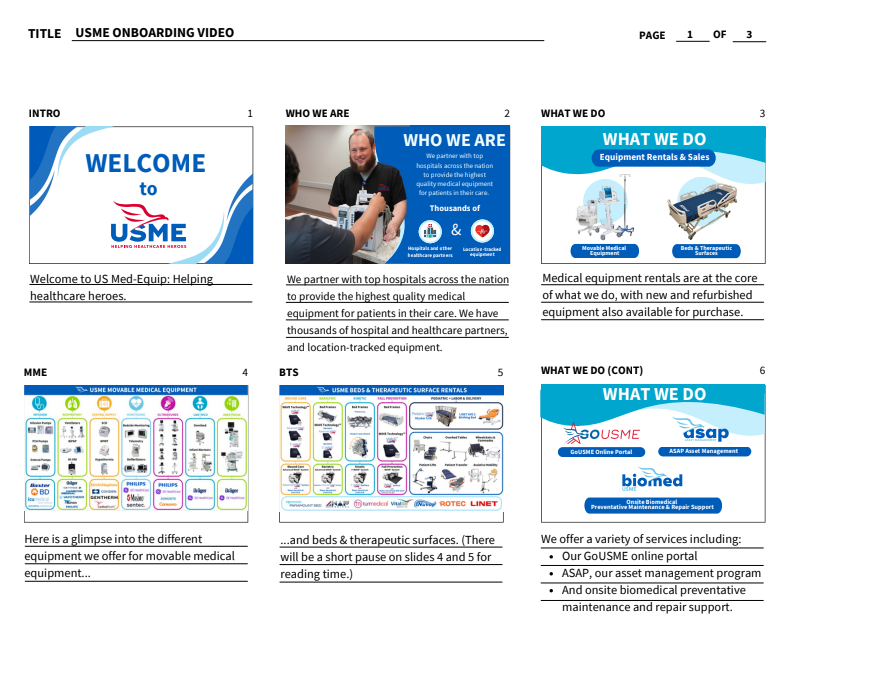
Depending on the project, a storyboard of the course will be needed to communicate the flow and visuals of the course. There have been times where time constraints do not allow for a full storyboard, and an outline will suffice before heading into Adobe Captivate for course creation. Below is a storyboard page for an onboarding course video that also served as a content guideline for the course.

Course Creation

With a clear path ahead, course creation can begin. I often work under very tight deadlines, so I lay out the course in Adobe Captivate and create/find graphics as needed. With my background in digital media, I always make sure to use company brand colors, visuals, and messaging. This is also where I bring interactive course elements to life, such as quizzes, drag and drop, scenarios, and more.

Some courses have assets that take much longer to make. For the onboarding course, I was tasked with creating a video to go along with it. Below is the final video, including motion graphics and voiceover that I performed using my own equipment.

Draft Review

Once the course is complete, it will be reviewed by my manager and subject matter experts for feedback. This process can take some time as we communicate what will work best for our audience and if the course properly covers it.

Course Publishing

When the course is approved by both my manager and subject matter experts, it is ready to be published. This process is dependent on the course audience. While we use the same HRIS to send out the course, we need to define which employees will receive the course, how it will be assigned, and how much time they have to complete it. For example, the onboarding course would be assigned to employees as soon as they are added to the HRIS system as an onboarding task to complete. The procedure course would be assigned to specific employees that are involved with the process covered in the course.

WANT TO SEE MORE?

Training Videos

View examples of training videos I've made, including production and motion graphics.

Learn More ➡
Training Documents

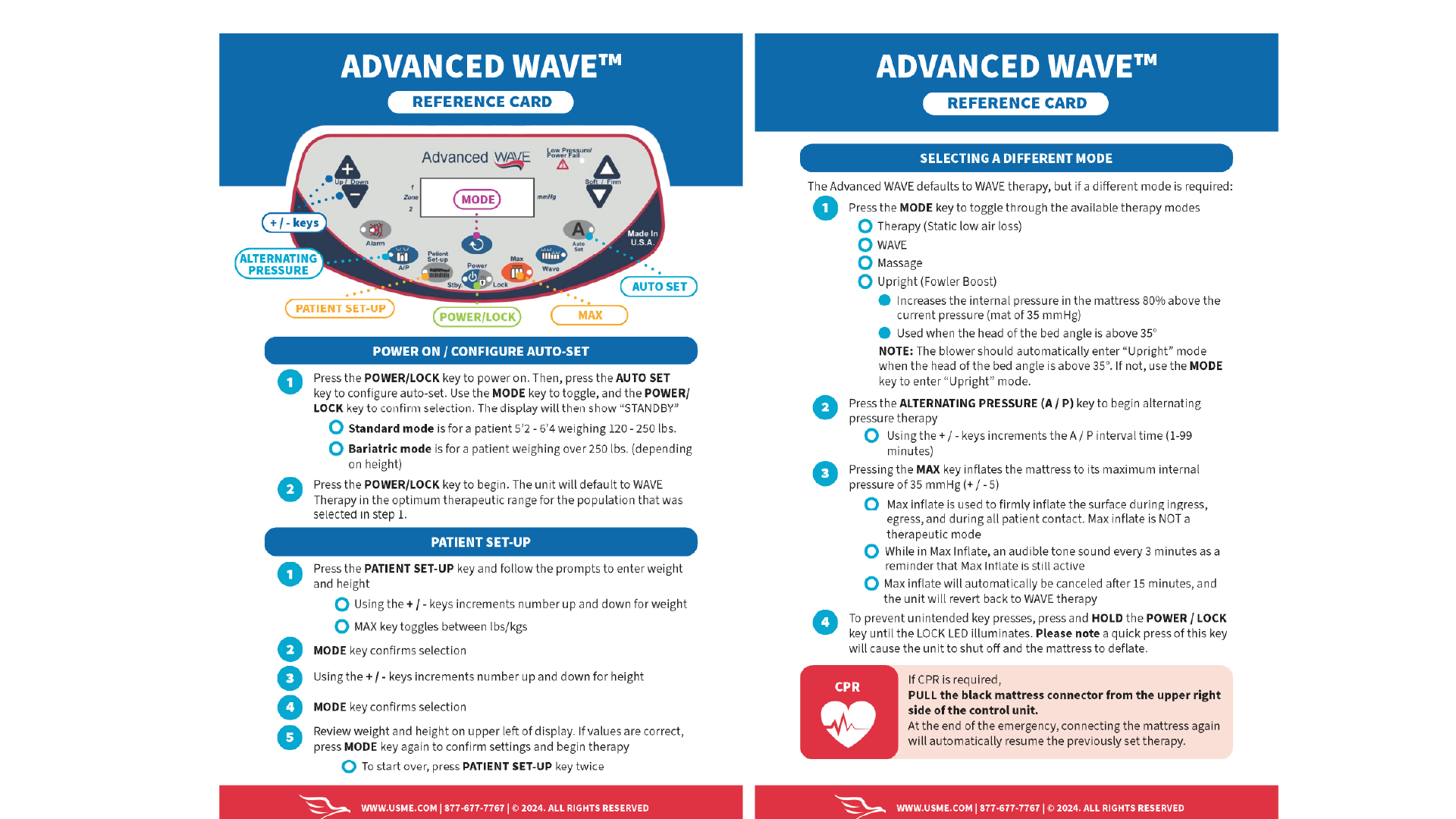
See the training documents I've created including PDFs and quick reference guides.

Learn More ➡